
Cursor 2.0: Why Agentic AI Coding Just Leveled Up (and why we should be both excited and cautious)
Cursor just dropped its next-gen agentic IDE, withe all the new features. As a software engineer, here’s what really matters.

TL;DR
Cursor 2.0 drops a proprietary coding model and agent-first interface, letting up to 8 AI agents run in parallel for faster builds.
Composer, a proprietary model, built multi-agent support (up to 8 agents in parallel), sandboxed terminals, browser testing, voice mode, and upgraded code review workflows.
Agentic AI shines: Focus on outcomes while agents handle details, test via native browsers, and review multi-file changes.
My opinion: Wild for prototypes, but watch for overkill in simple projects: great upgrade from 1.0, timed perfectly after Claude Code 2.0.
Try it: Install and prompt Composer for a quick refactor; it’ll change how you code.
Introduction
Bonjourno, fellow coders. I’m Malik, behind Code Meet AI, where we tinker with AI to keep our skills sharp in this field.
I caught wind of Cursor 2.0 dropping just days after Claude Code’s update, and I couldn’t resist diving in. I fired it up on a messy React Native app I’ve been wrestling with, expecting the usual incremental tweaks. Instead, I got a full-blown agentic overhaul that had me running parallel agents.
This was my first impression, as it was the first time I tried to use multi agents, and it worked. Before with Claude, it always hullicinate before I get to review the generated code
As a software engineer, I'm starting to get used to the approach of just explaining what you need and doing only the reviewing. And I think this is where the AI software engineering is going to be.
My thinking is that in the future, the Vibe coders or people without technical skills, will be able to create the V1, or to verify market needs faster, and then a person who can be the interaction of both: technicality, which he can use AI tools to develop faster, but he also needs Business/ product skills. The future of software engineering is Product Engineering. I will explain that in the future, stay tuned
Why is cursor 2.0 interesting?
AI code editors like Cursor 1.0 or Claude are great for snippets, but deep down, on complex tasks: hallucinations, slow iterations, and no real “team” feel for big builds.
You end up micromanaging prompts, validating every line, and losing context across files.
Agentic AI promises to fix this by letting models act autonomously, but most tools fall short on parallelism, testing, and security. Cursor 2.0 aims to solve it with agents that collaborate, test their own work, and handle outcomes.
The AI coding tools excel at Autocomplete, or doing vibing. In early AI coding tools (Copilot, earlier Cursor, others), you mostly got:
Autocomplete + code suggestions
Chat windows that “see” part of your files/index
Some rewriting/refactoring commands
Vibing with random output.
That worked — up to a point. But when you scale, you hit:
Context window limits: big repos, deep logic, cross-file dependencies break them.
Signal-to-noise: many suggestions, but only a few are useful.
Lack of chaining: AI can’t coordinate tasks across modules.
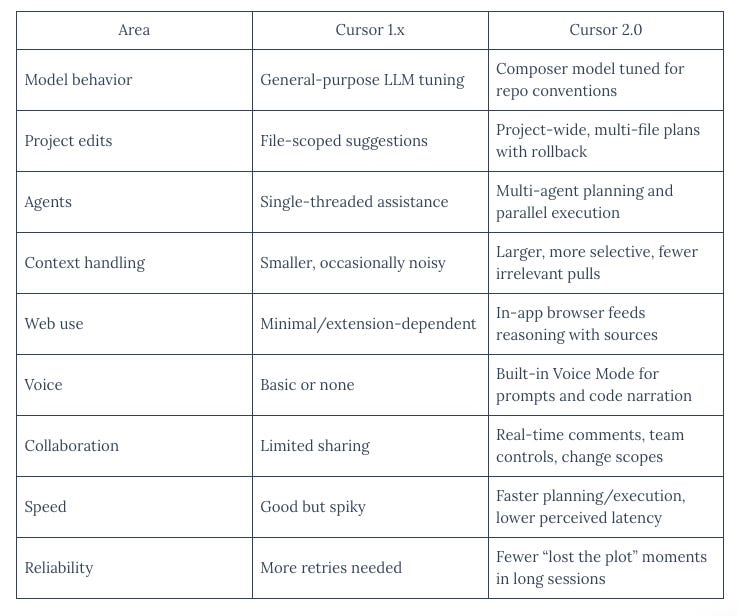
Cursor 2.0 promise to fix all of these, from the first glimps, It is powerfull.
Usage and installation:
Step 1: Install and download from cursor.com or update via the app. It’s free for basics, pro for advanced agents. If you are new, you can start here.
Step 2: Set Up Agents – In the redesigned interface, enable multi-agent mode and assign tasks (up to 8 in parallel).
Step 3: Use Composer: Prompt it for quick tasks.
Step 4: Add Tools – Activate native browser for testing, voice mode for dictation, and sandboxed terminals for commands.
Step 5: Review and Iterate – Use the improved diff views for multi-file code reviews.
What Changed in Cursor 2.0
Here’s a breakdown of the new features, why they matter (or don’t), and what to try first.
Composer – the new “brain”
Cursor 2.0 introduces Composer, their first proprietary coding model. It claims to complete many tasks in < 30s.
This means they’re less reliant on third-party LLMs (OpenAI, Anthropic) and have more control over latency, embeddings, and optimization.
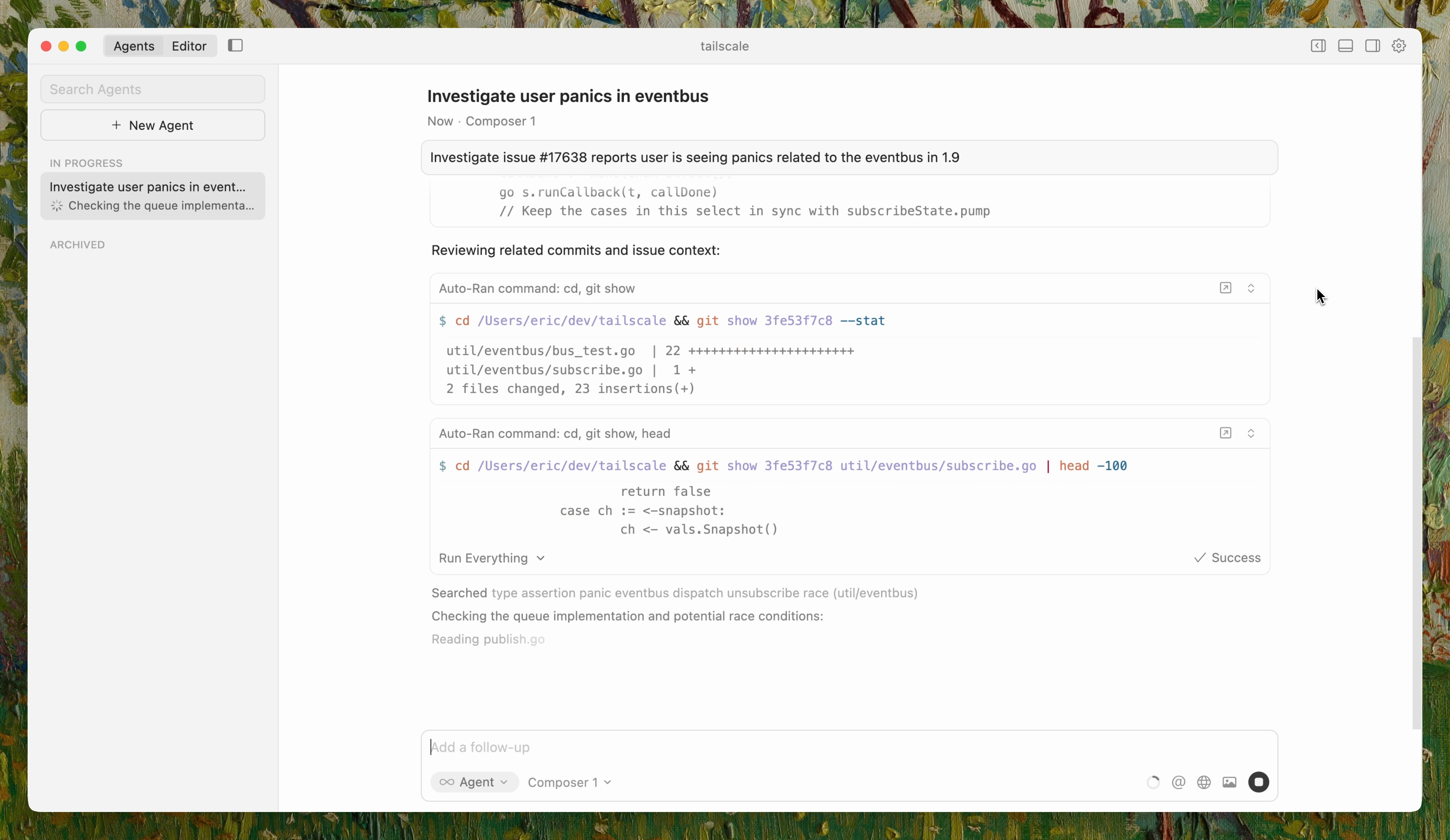
Multi-agent workspaces
You can now spin up up to eight parallel agents, each in its own isolated environment.
Example roles: one agent writes APIs, another handles tests, another reviews, another docs.
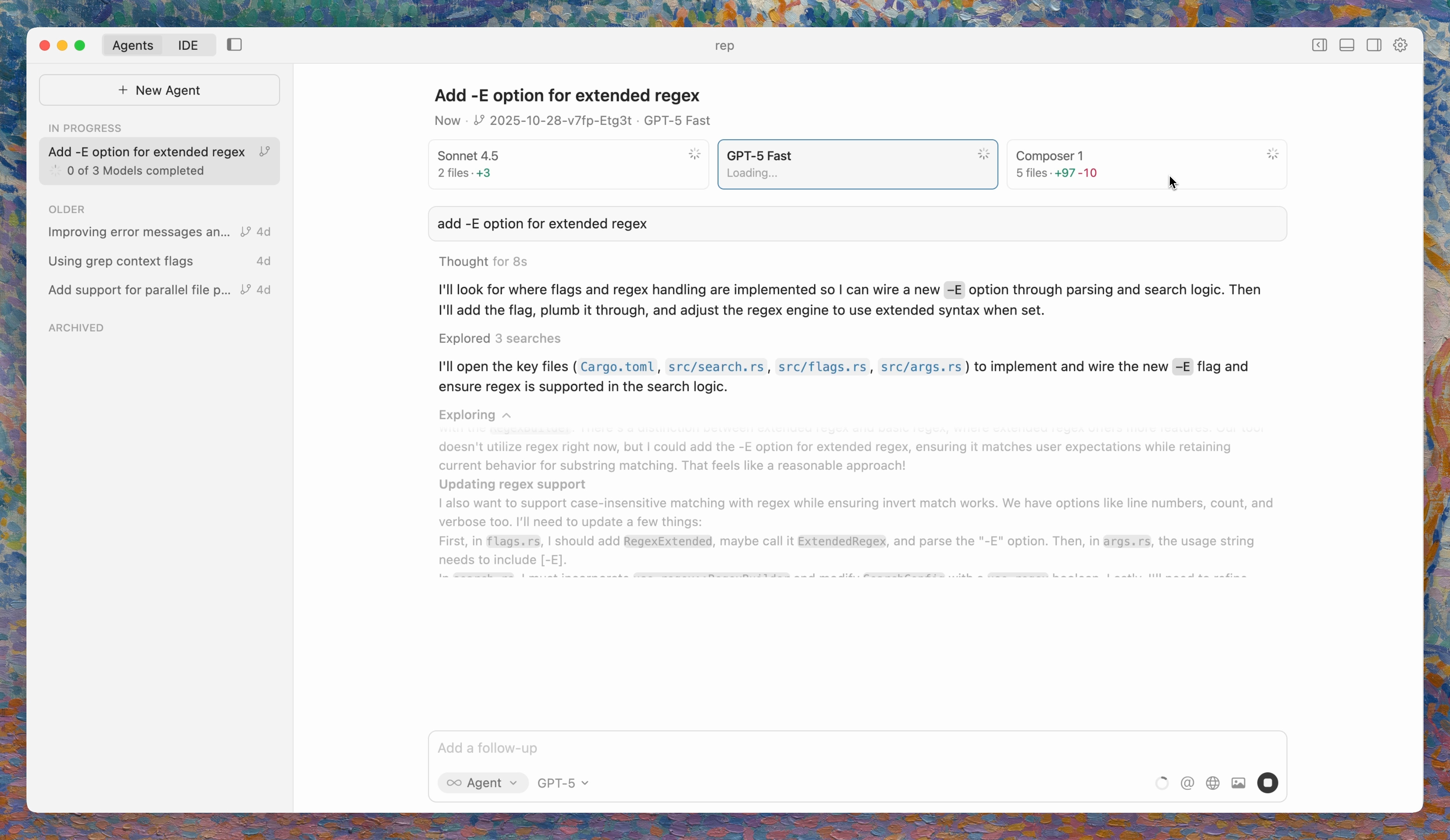
Why it matters: This is a move toward orchestration, not just assistance. But managing consistency, state, and coordination is nontrivial (conflicting edits, version drift, dependency issues).
Native browser + sandboxed terminals + voice mode
Cursor 2.0 adds a built-in browser view that lets agents test UI live, plus terminals that run commands in a sandbox (limited permissions), and even voice input to orchestrate agents.
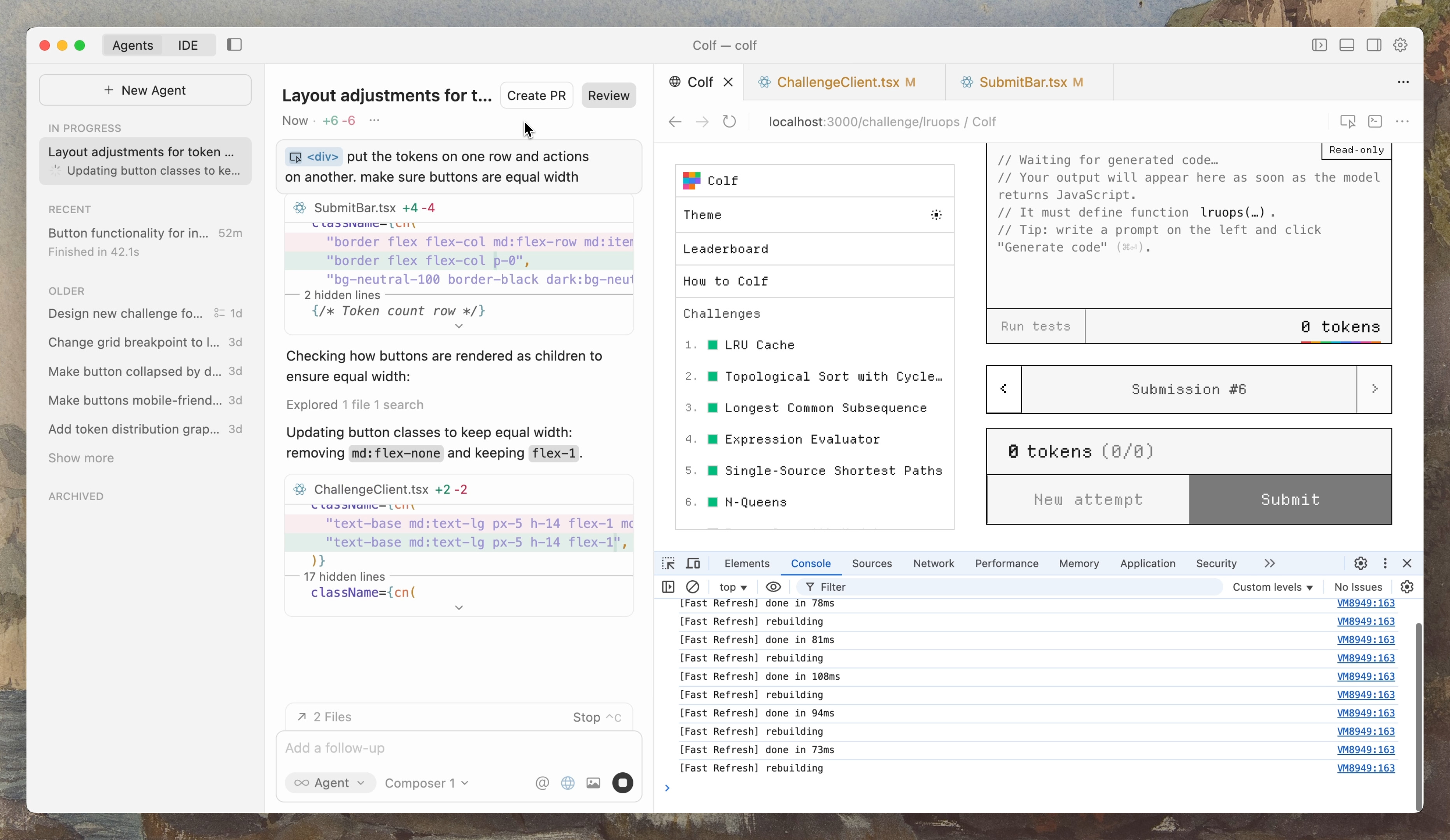
These features reduce context switching (IDE → browser → terminal), letting agents test, debug, and validate in situ.
Smarter code reviews and multi-file diffs
They reworked the review UI so it feels
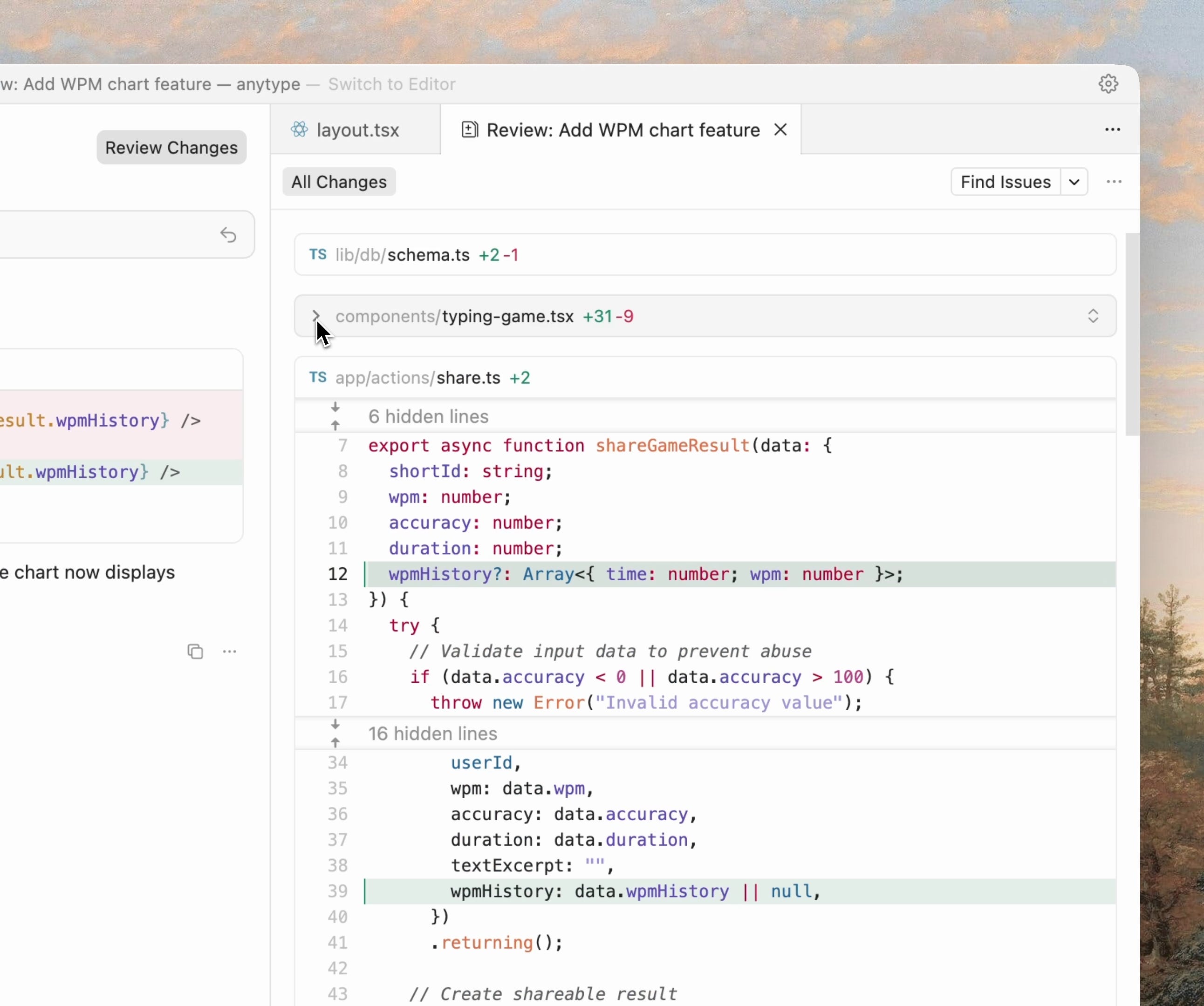
For engineers, this means less babysitting.
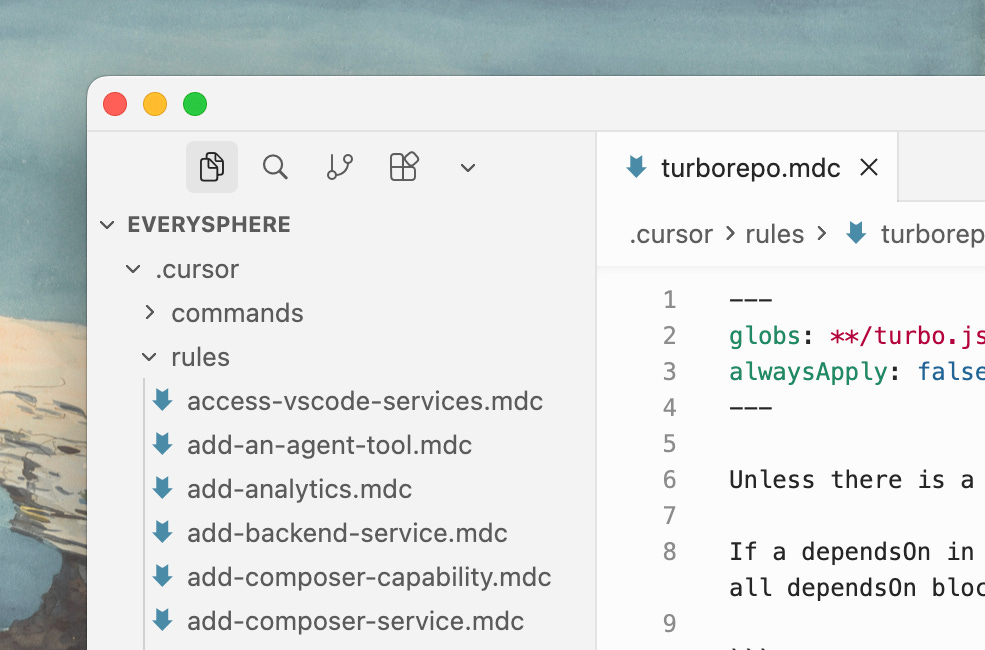
Improved Team collaboration
“Share custom rules, commands, and prompts with your entire team. Create deeplinks through the Cursor Docs.” from https://cursor.com/changelog/2-0
This is a new way into Team collaboration when it comes to AI assistant coding.
Conclusion
Cursor 2.0 is not just an update: it’s a new playbook. Multi-agent, sandboxed, integrated testing, voice mode….
It is a new way of AI and Developers’ collaboration in terms of coding generation.
Cursor is going all in for Entreprise grad AI coding assistance, from big features with a big codebase, to vibe coding from scratch. This is what I love about Cursor, their Leadership team really knows what Coders need.
FAQ:
Q: Can Claude Code or other tools do the same agentic stuff?
A: Potentially yes, but you’ll have to build the orchestration layer yourself (via MCP, prompt chaining, etc.). Cursor 2.0 just packages the agent infra inside the IDE.